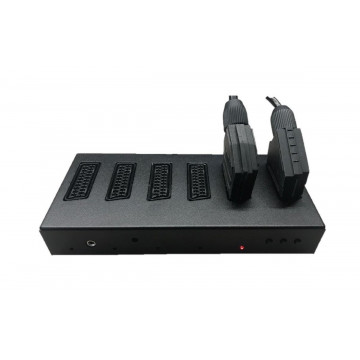
Fully automatic SCART switch with full galvanic inputs separation
(revised version, in bold - new features comparing to original HYDRA2)
- 8 SCART inputs (RGB, s-video, composite)
- 2 SCART outputs - now, yes can connect your 2 output devices!
- "Knight rider" style active SCART detection
- full ROHS
- expandable with 2 additional HYDRA HEADS devices to offer outstanding 24inputs SCART functionality
- AVR controller with firmware future updates
- HQ acrylic transparent case (laser cut)
- Stereo RCA audio output
- IR controlled
- Improved signal detection hysterisis (all cables shall work now)
- 3 independent audio buffers for each audio output
- SYNC ON GREEN mode for SCART input 2 (SW7 - SOG SWITCH)
- RGB ONLY / AUTO mode for SCART input 8 (SW8)
- manual/automatic mode
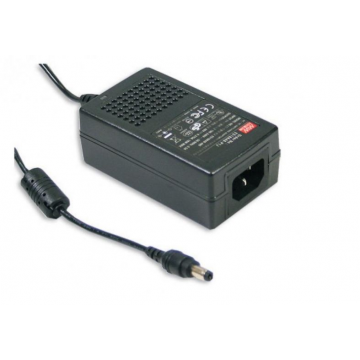
- dual power supply socket, to power up Hydra2 you can use:
- micro USB power supply (regular mobile phone charger 5V will do the job - please, use sth decent - approx 1A)
- dedicated remote will be sold separately in the future
- dual power input - you can use:
- any DC/AC power supply ranged 7.5V - 9V with 5.1/2.1 mm barrel jack (polarity independent) will work; optionally you can use PWR4 dedicated power supply - REMEMBER - more voltage you supply, more heat Hydra2 will produce
- micro USB power supply (regular mobile phone charger 5V will do the job - please, use something decent - approx 1A)
- TTL SYNC can be switch on on both outputs the same time, even if one receiver is 75ohm capable only
- added extra protection at SCART inputs to protect NCS chips
- Approximate dimensions: 30 x 10 x 4.5 cm
Do not use garbage power supply – any decent micro USB mobile charger will do the work... and please be careful when plugging it into USB socket
How does it work ?
Imagine, You have many retro system in use. Amiga, Atari ST, ZX spectrum, etc... And you have only one classical TV/Monitor with one SCART input. Each time, You want to switch system, You have to connect your machine to your monitor. Every time, you do it - you damage SCART socket inside. Those days are over. Connect up to 8 computers/consoles to Hydra, then connect the device to your TV/Monitor and power on. Since now, Hydra will detect active SCART input and forward all signals to your screen(s). Simple and efficient.
Please, remember:
NEVER connect / disconnect SCART plugs when Hydra2 is on especially when console/system is on!
You may ask why...?
Device is designed to pass through many types of signals: from composite to component. To protect device and not to cut signal's range, Hydras have additional ESD protection diodes, but for a short period of time when scanning for active SCART, Hydra is defenceless. If you hit that moment plugging powered on device, you will damage RGB chip with ESD voltage that may reach thousands of volts (not dangerous for you, but electronics is fragile...). This chip may become very hot and protection will probably brick Hydra till one of chips is replaced (NCS2564).
Possible symptoms:
- knight rider effect stops
- one SCART port does not work
- Interference between ports
- HD LED does not work anymore
- only one port gives correct picture; others are darker....
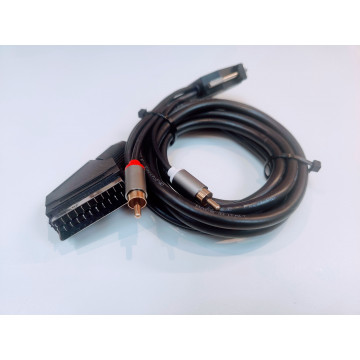
USE SIMPLEST SCART CABLES POSSIBLE
- No tricky electronics inside as it is not needed. Hydra has built in all necessary features
- Hydra loves composite video or luma at pin 20 of SCART
- When you have fun, Hydra does plenty of work – let it work
- Hydra doesn't like and will not lock on SCART with TTL csync as it doesn’t follow SCART 75ohm standard – nevertheless if source connected directly to your TV works OK
BUTTONS
Hydra2 has 5 buttons at the front panel.
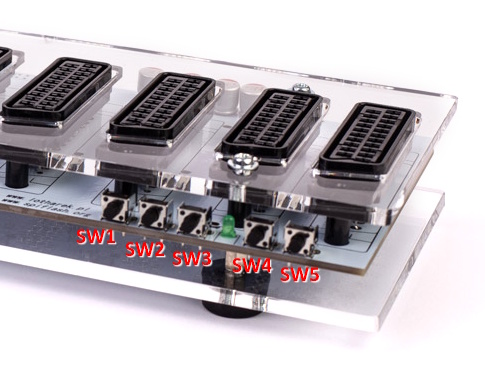
- SW1 - scan for active source to the left from active one (if active is far left, no action) / next SCART input in manual mode
- SW3 - scan for active source to the right from active one (if active is far right, no action) / previous SCART input in manual mode
- SW2 - HD/LOW PASS filter (green LED on/off) - default ON; more details here (page 11)
- Combinations (buttons pressed simultaneously):
- SW1 + SW3 disables "Knight Rider" LED effect
- SW2 + SW3 toggles automatic / manual mode
- SW1 + SW2 mutes audio
- SW4/SW5 - sync signal type toggle buttons
- allow mode change between TTL and analog sync signal for corresponding SCART output (SW5 for output closest to the right edge, SW4 for the second output)
- LED ON = TTL SYNC output, LED OFF - 1VPP SYNC
- settings are stored in AVR
- do not use TTL sync for analog inputs!
SWITCHES:
- SW7 - SYNC ON GREEN mode for SCART input 2 ; default off, LED off
- SW8 - RGB ONLY / AUTO mode for SCART input 8 (Amstrad Computers, ZX 128 +2/3), default set to auto
Hydra2 8 port SCART switch, may be “easily” expanded with 2 additional HYDRA HEADS devices to offer outstanding 24inputs SCART functionality.
How does it work ?
After establishing connection with flat cables between Hydra2 (master unit) and HYDRA HEADS (slave unit), user forces HYDRA to work with HEADS expansion and 8 additional SCART inputs it offers. BOTTOM SWITCH MUST BE SET IN 16P mode.
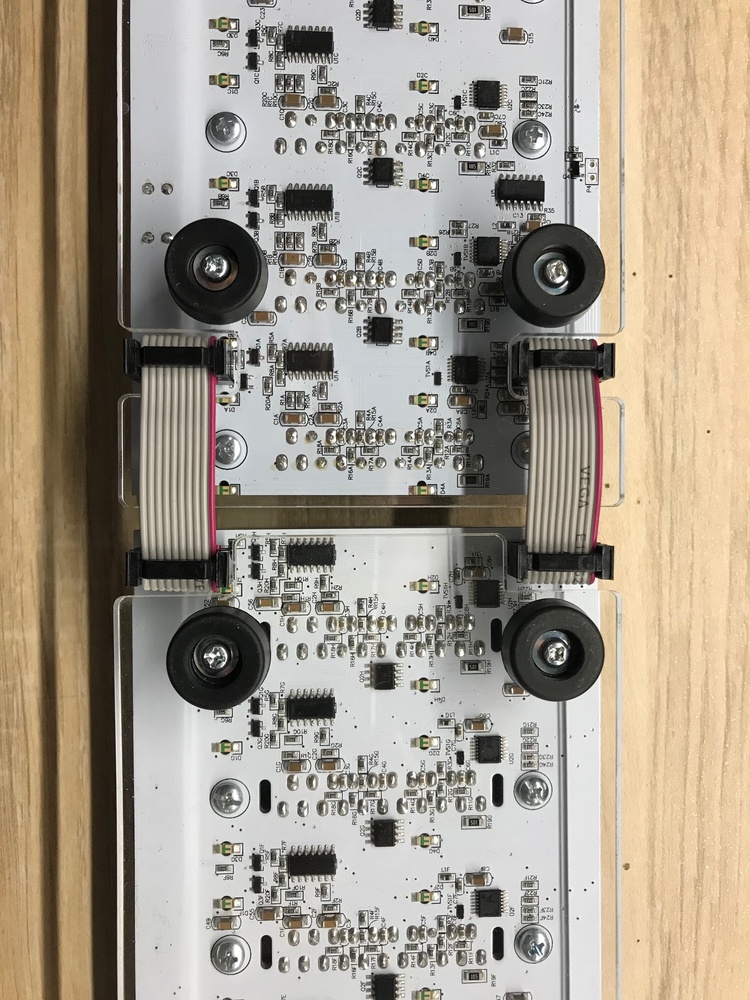
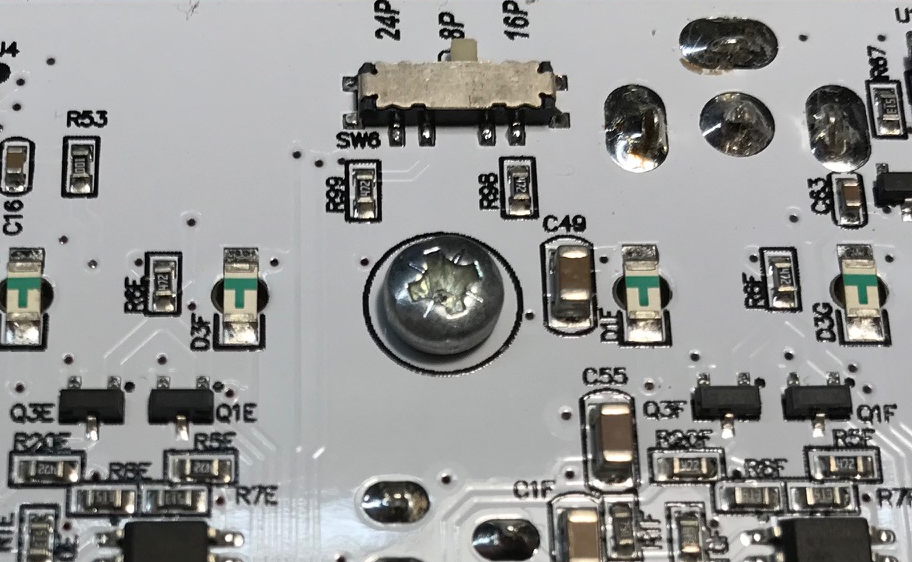
How about connecting another Hydra Heads to already connected one ?
Additional HYDRA HEADS unit may be added to previously installed one to achieve 24 inputs. BOTTOM SWITCH MUST BE SET IN 24P mode.
Click here for firmware update procedure
Check this link to read FAQs