A500 8MB IDE2
search
  • A500 8MB IDE2
  • A500 8MB IDE2
  • A500 8MB IDE2
  • A500 8MB IDE2
A500 8MB IDE2
A500 8MB IDE2 A500 8MB IDE2 A500 8MB IDE2 A500 8MB IDE2

A500 8MB IDE2

£74.00
VAT included Awaiting arrival, can be back-ordered

8MB Fast RAM and IDE controller for Amiga 500 and 500+

Quantity
In stock soon


Delivery information


Returns policy


Warranty information

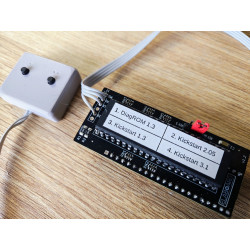
Very compact 8MB Fast RAM and BSC-AT-Bus IDE controller for Amiga 500 and Amiga 500+.

The device is based on the design by Oleg Mishin https://github.com/OlegMishin/A500_8MB_ide2. Please refer for this link for more information (manuals, downloads).

Features: (changes introduced in this version by Lotharek are in bold)

  • Bootable IDE, no need for a patched scsi.device to be present in Kickstart ROM for autoboot.
  • Works with Kickstart from 1.3 and above.
  • Able to boot Workbench 1.3 and higher from HDD. 8MB RAM also detected in WB 1.3.
  • Motorola CPU present at board in SMD package (PLCC).
  • Different CPLD used, thus firmware has been reworked.
  • Rotated IDE connector by 180 degrees. If SD ir CF adapter is used, it will be hanging over the expansion.
  • Hybrid SMD/THT bottom socket
  • Flash ROM contains BSC Oktopussy ROM and can be re-flashed on-board. 
  • Works with A500 and A500+.
  • The device does not work with CDTV due to DMAC on board (this can change with future firmware).
  • PCB is 4 layers, HID board (high integration device) to squeeze a CPU with the PCB footprint of the original device.

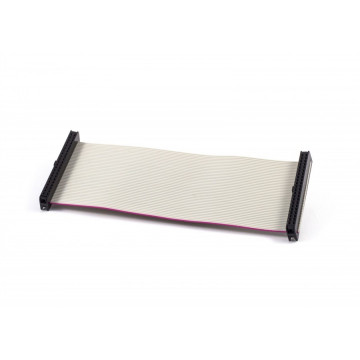
Please check related products for suitable cables and adapters.

a500_8mb_ide2_pcb.jpg


IN THE BOX

  • Fully tested and assembled device.
  • Please note that IDE to CF/SD adapter is not included.


Installation

  • Desolder CPU from motherboard if not socketed. Solder the socket first and then install the device in it.
  • if CPU is socketed, just remove the CPU and insert A500 8MB IDE2 instead.
  • In both cases pay attention to pin orientation, pin 1 is at the bottom. Inserting it wrongly can damage the CPLD.
  • Partition the IDE device according to manual in Downloads section above.
  • Ready!
A500-8MBIDE2

You might also like