Kraken ZX Spectrum MultiClone
search
  • Kraken ZX Spectrum MultiClone
  • Kraken ZX Spectrum MultiClone
  • Kraken ZX Spectrum MultiClone
  • Kraken ZX Spectrum MultiClone
  • Kraken ZX Spectrum MultiClone
  • Kraken ZX Spectrum MultiClone
  • Kraken ZX Spectrum MultiClone
Kraken ZX Spectrum MultiClone
Kraken ZX Spectrum MultiClone Kraken ZX Spectrum MultiClone Kraken ZX Spectrum MultiClone Kraken ZX Spectrum MultiClone Kraken ZX Spectrum MultiClone Kraken ZX Spectrum MultiClone Kraken ZX Spectrum MultiClone video video

Kraken ZX Spectrum MultiClone

£115.00
VAT included Free delivery

FPGA computer allowing to run 8 different ZX Spectrum and compatible modes

Quantity
In stock


Delivery information


Returns policy


Warranty information

Kraken is Sinclair ZX Spectrum multiclone computer based on FPGA technology. It is designed to fit original ZX Spectrum / ZX Spectrum+ case with no adjustments / drilling / cutting. Therefore there is no integrated DIVMMC / DIVIDE style device or joystick port.

Technical details:

  • 4 layer PCB - dimensions 74.17 x 213.49 mm
  • 2 x Z80 CPU inside - FPGA NMOS and real Z80
  • Turbo Sound FM - dual AY 3-8912 + 6 channel Yamaha 2203 OPN synthesis 
  • Sound Drive  
  • Covox 
  • SAA1099 
  • Video output is mini DIN9 compatible with Sega Sega Genesis 2 / Mega Drive 2 pinout (audio / RGB out)
  • Tape in/out (EAR and MIC) integrated in one stereo 3.5mm jack
  • Included Bluetooth adapter can be used to connect mobile phone / PC / Mac with TAP/TZX player to load games
  • ULA Plus in selected modes
  • TIMEX graphics in selected modes
  • 9bit RGB output
  • max 512KB RAM
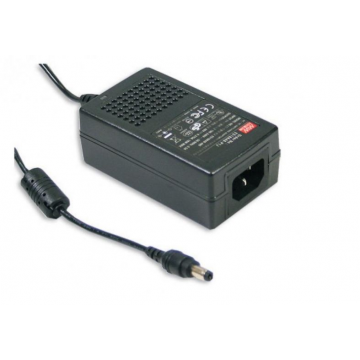
  • power supply: you can use any 9V AC/DC power supply with minimum 400mA, polarity doesn't matter. It works with PWR4 power supply.
  • 2x dedicated clock generators, to obtain perfect timings in 128 / 48 / Pentagon modes
  • Button: short press - mode change, long press - reset 
  • Selected operating mode is restored after power cycling
  • FPGA firmware can be upgraded via USB-C - please refer to the manual in Downloads section above. Firmware files are available here.

Disclaimer: the product is a PCB only, no case, power supply or video cable is supplied. Please refer to related products to get them.

Operating modes (switch using SW1 button at the rear)

Kraken ZX Spectrum MultiClone operating modes

Z80 3,5 = original Z80
Z80S 3,5 = soft core Z80
Z80 3,5xx = custom made 28.3576MHz crystal to obtain perfect 128 timings
/7, /14 = max MHz in Turbo mode
128C = contended memory machine equivalent
S = snow effect
AY = 0 - no AY, 1 - one AY, 2 - Turbo Sound

Hardware layout

Kraken ZX Spectrum MultiClone PCB layout

JP1 - Bluetooth adapter connector

JP2 - mini DIN9 video output

JP3 - AVR Kanda / FPGA JTAG

JP4 - JUMPER - not used

JP5 - power on jumper - must be shorted to power on device

JP6, JP7 - keyboard connectors

JP8 - Bluetooth channel select: left/right

JP9 - Tape in / out - tested with mono jack 3.5mm for tape loading routine

JP10 - DC power jack


Kraken has built in dedicated keyboard controller, that co-exists with ZX Spectrum keyboard scanning / reading routine. It is used to add following features:

  • KEYBOARD RESET (Amiga style)
    • Press Z + X + space - hardware reset (no wait)
    • If you keep pressing space bar, your DIVMMC / DIVIDE device will re-initialise
    • Keyboard reset exits game mode / DIAGNOROM mode and restarts machine in the mode previously selected
  • GAME MODE
    • Press  Z + X + G  to enter game mode
    • Button at the rear (SW1) toggles a game slot (16 games included).
    • To exit game mode perform a keyboard reset
  • HIDDEN SURPRISE
    • Press  Z + X + G in Timex mode ;-) 
  • DIAGNOROM MODE
    • Press Z + X + 0 (zero) - performs hardware reset and enters DIAGNOROM 1.71
    • Button at the rear (SW1) will change test modes (CPU, contention etc.)
  • TURBO MODE 
    • Press  Z + X + T  - toggles turbo mode on / off 
    • Works only in selected operation modes (refer to the table above)
    • There is a 3 seconds gap while toggling
    • Use only whilst software runs - i.e. when the game is already loaded
    • DISCLAIMER: many external devices (DIVMMC / DIVIDE) will not work properly, when Z80 is in turbo mode. Use it wisely.
KRAKEN

You might also like