Sio2PC USB
search
  • Sio2PC USB
  • Sio2PC USB
Sio2PC USB
Sio2PC USB Sio2PC USB video

Sio2PC USB

£27.00
VAT included Free delivery

Sio2PC USB version

Quantity
In stock


Delivery information


Returns policy


Warranty information

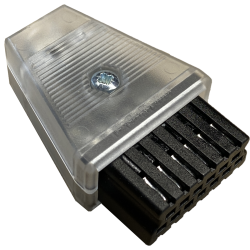
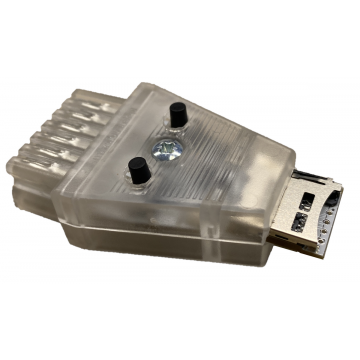
SIO2PC USB is a must have device for every Atari 8-bit user. It connects the Atari SIO port with PC/MAC computer equipped with a USB port. All electronic elements are hidden inside the SIO plug (injection moulded).


Requirements

  • PC with a free USB port (works on other platforms like MAC/LINUX)
  • Any 8bit Atari (400/800/XL/XE) with a available SIO port


 Short manual: 

  • download and install one of below:
  • download virtual COM port driver from FTDI website and install it
  • if you use stock Windows 10 drivers, you must force to load VCP drivers in Device Manager. Find USB Serial Converter under Universal Serial Bus controllers, open its properties and check the checkbox:
    Load VCP
  • connect 10502PC/SIO2PC device to PC; Windows shall install drivers automatically
  • new COM port will appear in Device Manager under Ports (COM & LPT)
  • start ASPEQT / RESPEQT and then go to Tools -> Options: select a proper COM number and CTS mode, then save settings
  • press button Start SIO peripheral emulation in the ASPEQT / RESPEQT  window (blue plug icon at bottom right)
  • power on Atari with SIO2PC device connected and ATR/XEX file loaded in slot 1 


Note for all Ultimate 1MB users: You can easily reach the highest speed possible selecting HIAS's patched OS (POKEY divisor=0)


SIO2PCUSB

You might also like